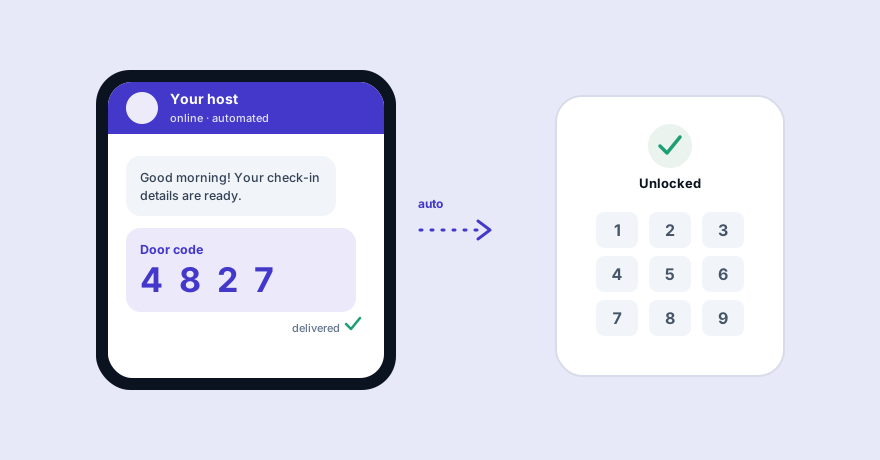
Manually messaging door codes is the most repetitive job in hosting — and the easiest to get wrong at the worst moment. Here's how to send Airbnb door codes automatically: the right timing, the secure way to do it, and a setup checklist you can follow today.
Every host knows the routine: a guest is arriving at 3pm, you're in a meeting, and you're frantically copying a door code into the Airbnb app before they're standing outside a locked door. Do it across several properties and check-in becomes a part-time job. Automating door-code delivery removes that entirely — done right, the guest gets the code at exactly the right moment and you don't touch a thing.
What "automatically" actually means
There are two layers, and you don't need both to start:
- Automated message — the door code is sent on a schedule (e.g. the morning of arrival) without you typing it. This alone removes most of the work and is possible with any lockbox or keypad.
- Automated code — a smart lock generates a unique code per booking that expires at checkout. Optional, but it adds security and means you never reuse a code.
When to send the code
Timing is the part most hosts get wrong. Send the code on the morning of arrival — not at booking, not days ahead.
- It stays fresh in the guest's mind instead of being buried in old messages.
- It's harder to share or leak if it only exists for the stay.
- With a smart lock, the code can activate at check-in time and expire at checkout automatically.
For the exact wording to pair with the code, use our free Airbnb self check-in message templates — the check-in-day template is built for this.
The secure way to automate it
"Automatic" shouldn't mean "blasted to anyone." The safest setup only releases the code to the verified guest, at the right time, after they've seen your house rules. A good self check-in flow will:
- Confirm the booking and the guest's identity.
- Show the house rules and get acknowledgement.
- Release the door code, WiFi and entry steps — only then.
That's more secure than emailing a code days early and hoping it isn't forwarded.
Setup checklist
- Decide your access method: keypad, lockbox, or smart lock.
- Write your check-in-day message once (code, WiFi, entry steps) — see the templates.
- Choose how it's sent: a scheduled message, or an automated check-in flow that verifies the guest first.
- Set the send time to the morning of arrival.
- Add a fallback contact in the message for anyone who gets stuck.
- Test it end-to-end with your own phone before a real guest.
Doing it across multiple properties (and languages)
One property is manageable by hand. Several — with guests arriving at different times, some who don't speak English — is where automation becomes essential. A WhatsApp self check-in flow sends the code on WhatsApp (which guests actually open on arrival day), in the guest's own language, only after they've checked in — across every property at once. If you also field a lot of pre-booking questions, an AI chat receptionist can handle those around the clock so you're not the bottleneck.
Frequently asked questions
When should the door code be sent to an Airbnb guest?
On the morning of arrival, not days in advance — it keeps the code fresh, reduces the chance of it being shared, and lets you use a code that changes between stays.
Do I need a smart lock to automate door codes?
No. You can automate the message that delivers a fixed lockbox or keypad code. A smart lock adds unique, expiring codes per booking, but it's optional.
Is it safe to send door codes automatically?
Yes, when the code goes only to the verified guest at the right time. A self check-in flow that requires identity confirmation and house-rule acceptance before releasing the code is more secure than emailing it early.
How do I send door codes to guests who speak another language?
An automated check-in flow can detect or ask the guest's language and send the code and entry instructions translated automatically.